


How to Use the TCC Shipment Center
The TCC Shipment Center lets eligible customers manage shipment requests directly from their account.
If you have multiple eligible orders with The Coin Chest, you may be able to combine them into one dispatch request, view item-level ETAs, choose a preferred dispatch date, and pay any required shipping top-up during checkout.
This guide explains how the Shipment Center works and how to use it.
What Is the TCC Shipment Center?
The TCC Shipment Center is a customer account feature that helps you manage eligible orders waiting to be shipped.
Instead of emailing us manually to ask whether multiple orders can be combined, you can now submit a shipment request from your account.
The Shipment Center may allow you to:
- combine eligible orders into one dispatch request
- view order and item status
- check item ETAs where available
- choose a preferred dispatch date where applicable
- request dispatch for items held in the vault
- pay any required shipping difference through checkout
Not every order will be eligible. The system checks eligibility before allowing a shipment request to be submitted.
Where to Find the Shipment Center
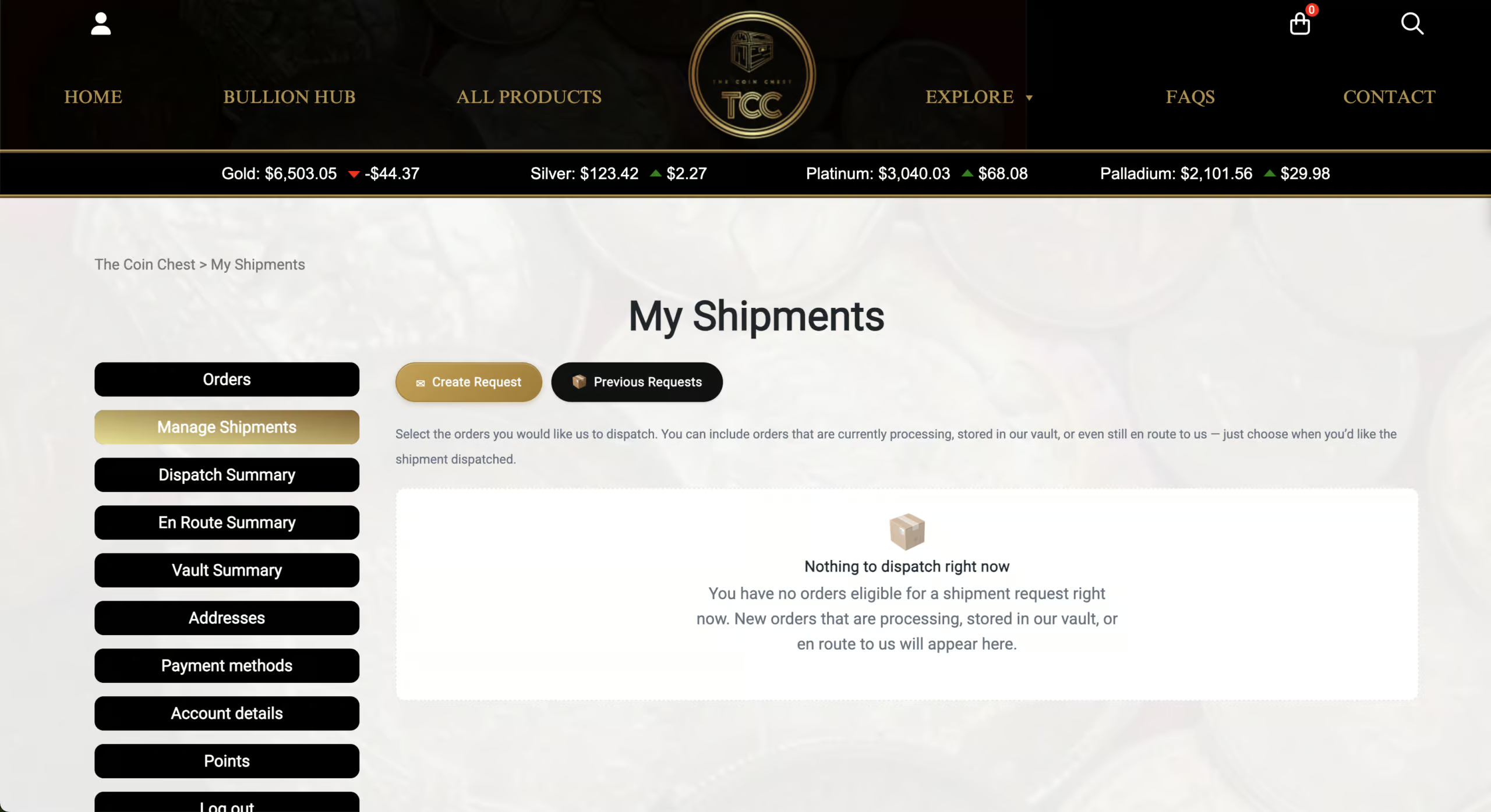
To access the Shipment Center:
- Log in to your account
- Go to My Account
- Select Manage Shipments
You can also access it directly from the My Account menu if you are logged in.
Which Orders Can Be Included?
The Shipment Center is designed for orders that are still waiting to be dispatched.
Eligible orders may include orders with the following statuses:
- Processing
- In the Vault
- En Route to Us
Orders that have already shipped, been cancelled, refunded, completed, or are otherwise not eligible will not appear for shipment selection.
The system also performs a final eligibility check when you submit the request. This means an order must still be eligible at the time of submission.
Understanding the Order Statuses
Processing
This means your order and payment has been received and is being prepared to be:
- Dispatched, or
- Vaulted, or
- Marked as En Route To Us (if it contains a backordered item)
In the Vault
This means the order, or the relevant items, are being held by The Coin Chest and are be available for dispatch / pickup.
En Route to Us
This means that a portion of goods are on the way to The Coin Chest and are yet to be marked as received by our team.
If an order contains items that are still en route, the Shipment Center may show an expected arrival window where available.
Viewing Items and ETAs
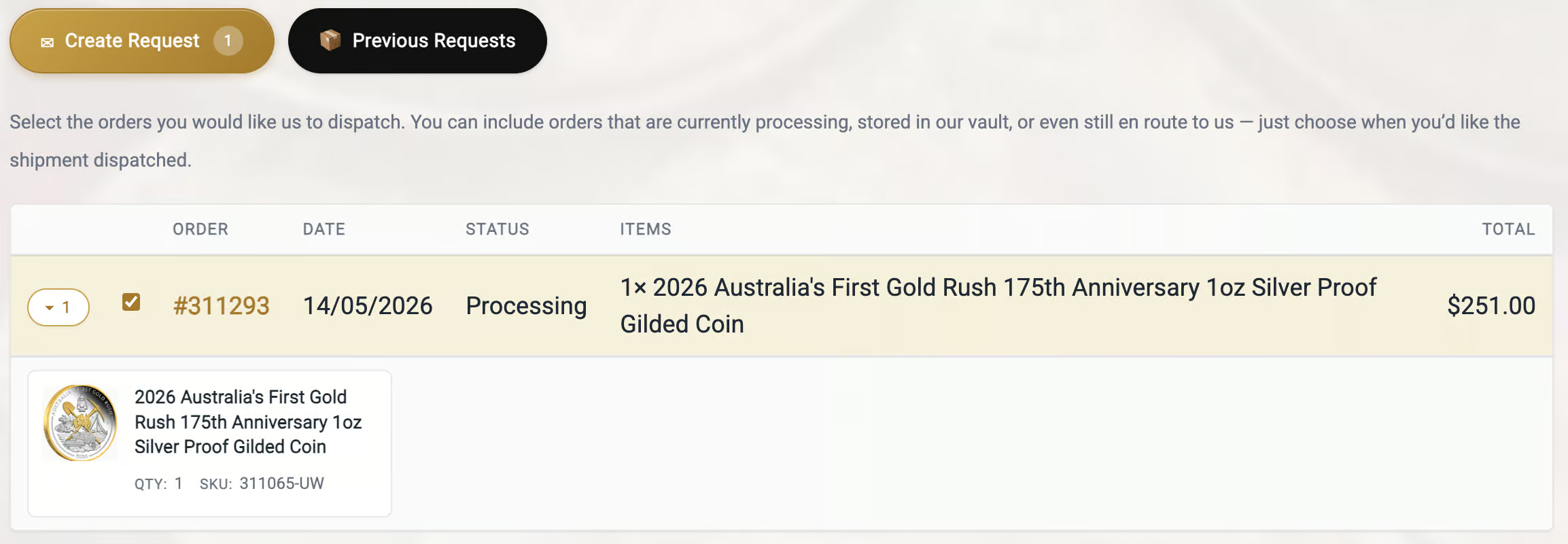
Inside the Shipment Center, each eligible order is shown in a table.
You can expand an order row to view more detail, including:
- product image
- quantity
- SKU
- item status
- expected arrival information, where available
If an item has not yet arrived, it may show as Awaiting Stock.
Where available, you may also see an Expected arrival to us window. This is intended to help you decide whether to wait and combine orders, or request dispatch of available items separately.
How to Submit a Shipment Request
To submit a shipment request:
- Open My Account → Manage Shipments
- Review the eligible orders shown
- Select the orders you want to include
- Expand orders if you want to check item-level details
- Choose your preferred shipping method, if available
- Select a preferred dispatch date if required
- Submit the shipment request
Once submitted, the request will be reviewed or processed depending on the shipment type.
Preferred Dispatch Date
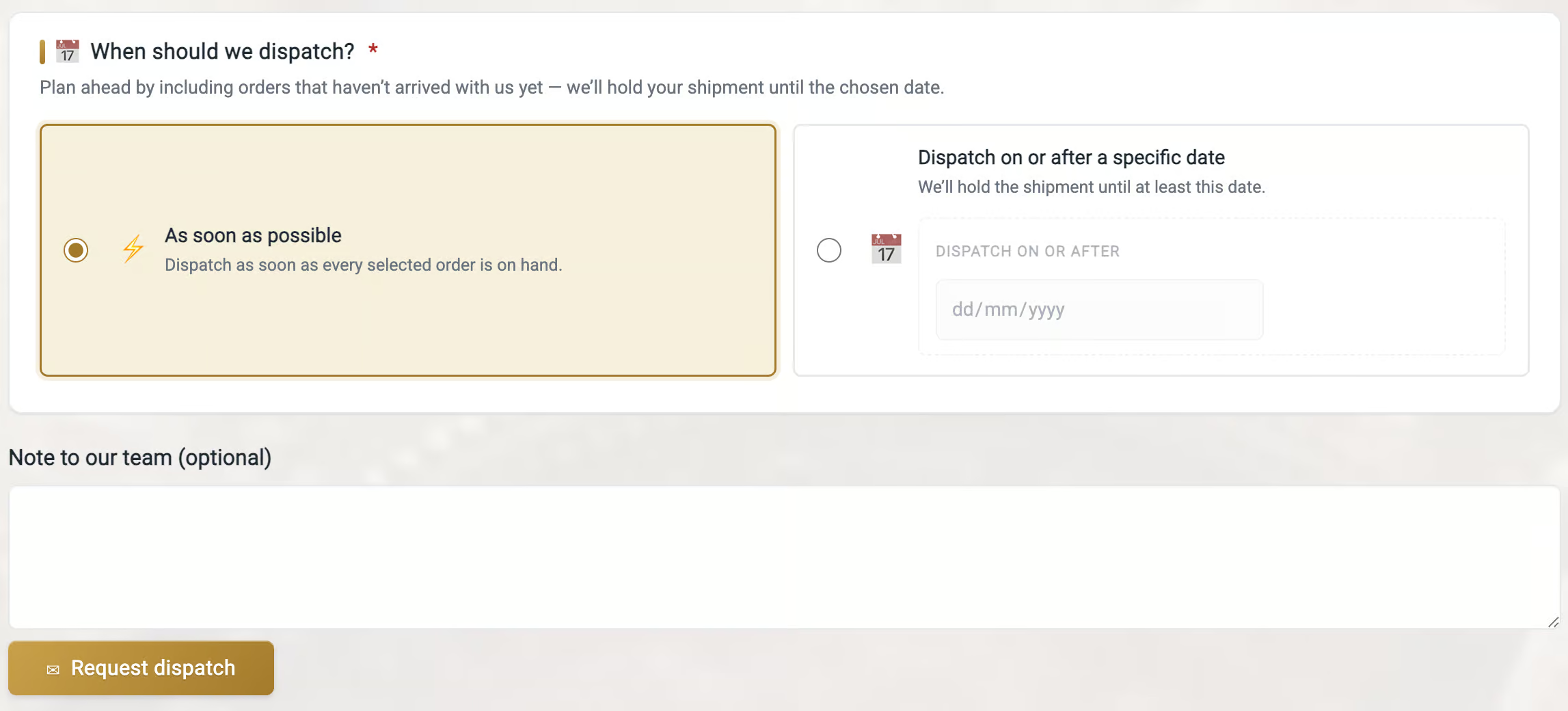
Some shipment requests may ask you to choose a preferred dispatch date.
This is especially relevant when your selected orders include items that have not yet arrived.
The preferred dispatch date helps us understand when you would like the order to be considered for shipment. It does not guarantee same-day dispatch, but it helps us prioritise and manage consolidated shipping requests more accurately.
If your selected items are still awaiting stock, your shipment request may not be actioned until the relevant items are available and the requested dispatch date has arrived.
Will I Need to Pay Extra Shipping?
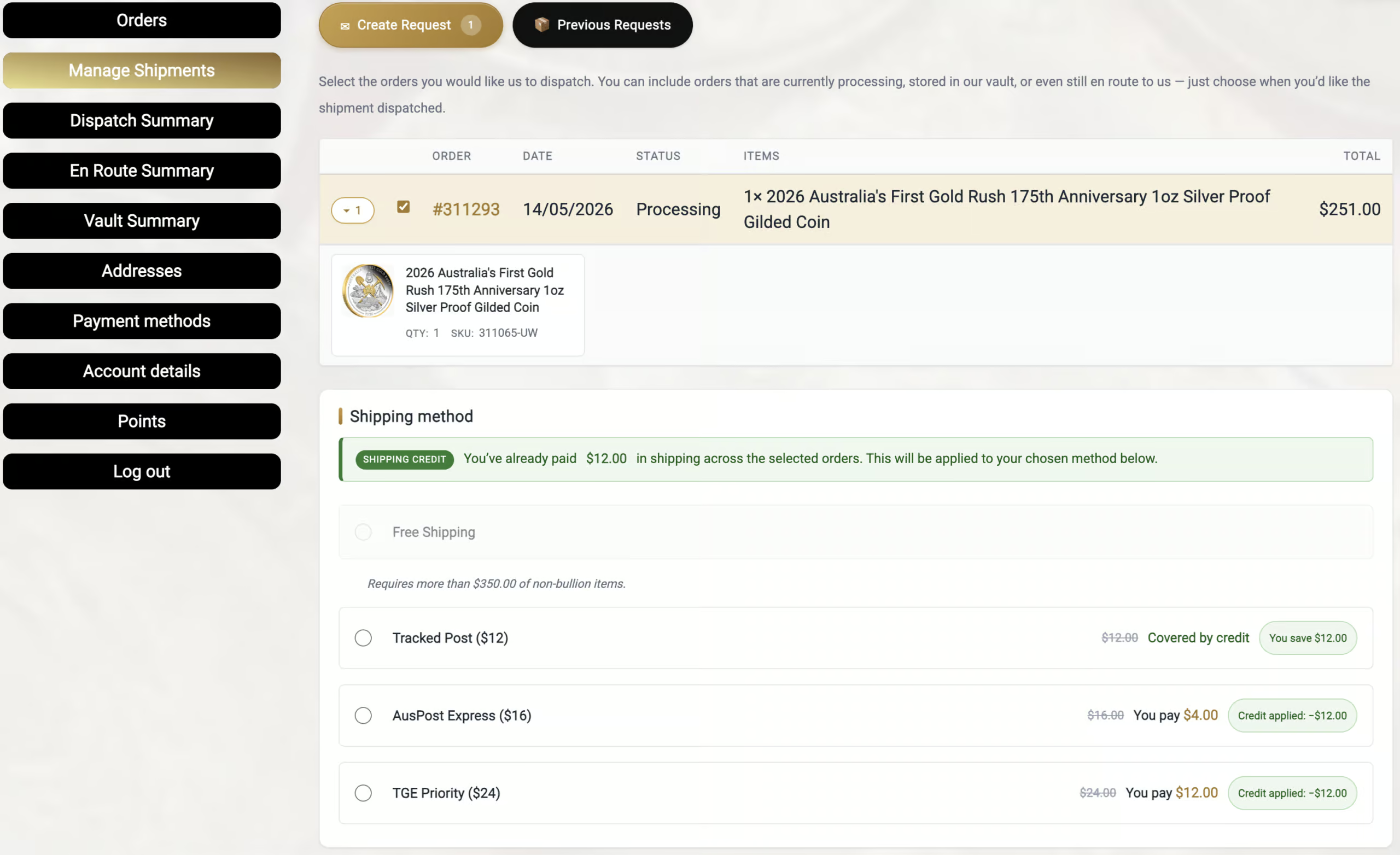
Sometimes, yes.
The Shipment Center calculates whether any additional shipping amount is required.
There are three possible outcomes:
No Extra Payment Required
If your existing shipping payment across any of your selected orders covers the selected shipment method, or the selected method is free, your request can be submitted without checkout payment.
Shipping Top-Up Required
If extra shipping is required, the system will create a shipment request order and send you through checkout to pay the difference.
This keeps the shipping top-up separate from your original product orders.
Manual Quote Required
Some shipment requests require manual review.
This may apply to international shipments, large orders, restricted shipping methods, or other cases where automatic pricing is not appropriate.
If manual pricing is required, your request will be sent to our team for review.
International Shipments
Some international shipment requests may require manual review.
This is because international shipping can involve restrictions, weight limits, customs requirements, insurance limits, or carrier-specific rules.
If your shipment cannot be priced automatically, the Shipment Center will guide the request through manual review.
What Happens After I Submit a Request?
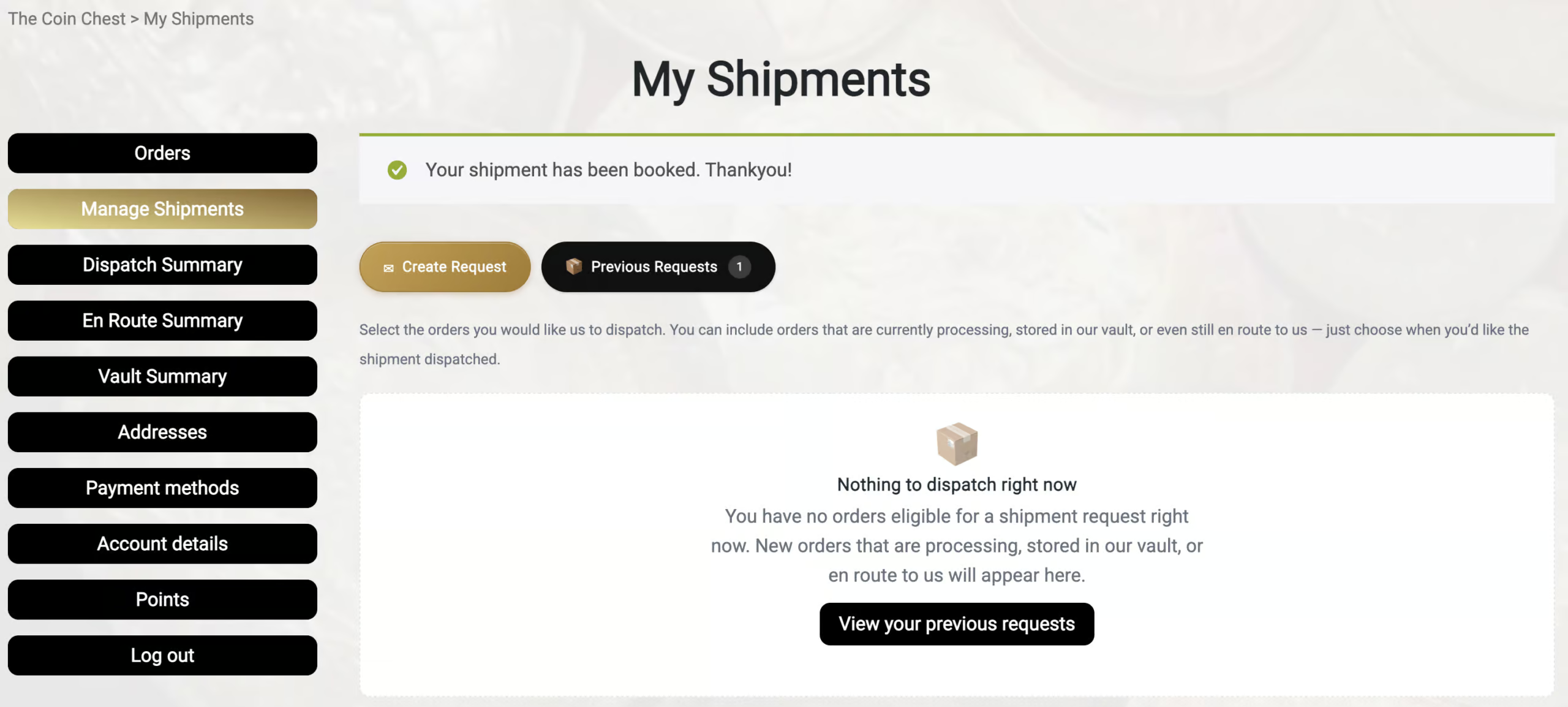
After submitting a shipment request, one of the following will happen:
Your Request Is Recorded
If no payment is due, the request is recorded and sent to our team for processing.
You Are Sent to Checkout
If a shipping top-up is required, you will be redirected to checkout to complete payment.
Your shipment request is not fully completed until the checkout step is finalised.
Your Request Is Sent for Manual Review
If manual pricing is required, our team will review the request and contact you with the next steps.
Why Can’t I See an Order?
If an order does not appear in the Shipment Center, it may not currently be eligible.
Common reasons include:
- the order has already shipped
- the order is completed
- the order has been cancelled or refunded
- the order is not in an eligible status
- the order does not belong to the logged-in account
- the order cannot currently be combined
- the items are not yet ready for dispatch
The Shipment Center only displays orders that are eligible for shipment request selection.
Important Notes
The Shipment Center is designed to make dispatch requests easier, but it does not override The Coin Chest’s shipping, dispatch, preorder, or order fulfilment policies.
Submitting a shipment request does not guarantee immediate dispatch.
Orders containing items that are still awaiting stock will only be processed once the relevant stock is available and the request is eligible for dispatch.
Need Help?
If you are unsure whether your orders can be combined, please check My Account → Manage Shipments first.
If the Shipment Center does not show the order or option you expected, contact us and include your order number so our team can review it.